
Find duplicate videos (even renamed or re-encoded copies), turn junk filenames into readable titles, and sort scattered folders into one searchable library. It all runs on your PC: no account, nothing uploaded, and every change can be undone.
Installs from the Microsoft Store, which checks and signs every app, so there are no "unrecognised app" warnings. Free for your first 500 files, no card needed.
On your phone? SceneSort Pro is a Windows PC app. Email yourself the link (and a 20% Pro code) to open on your PC.
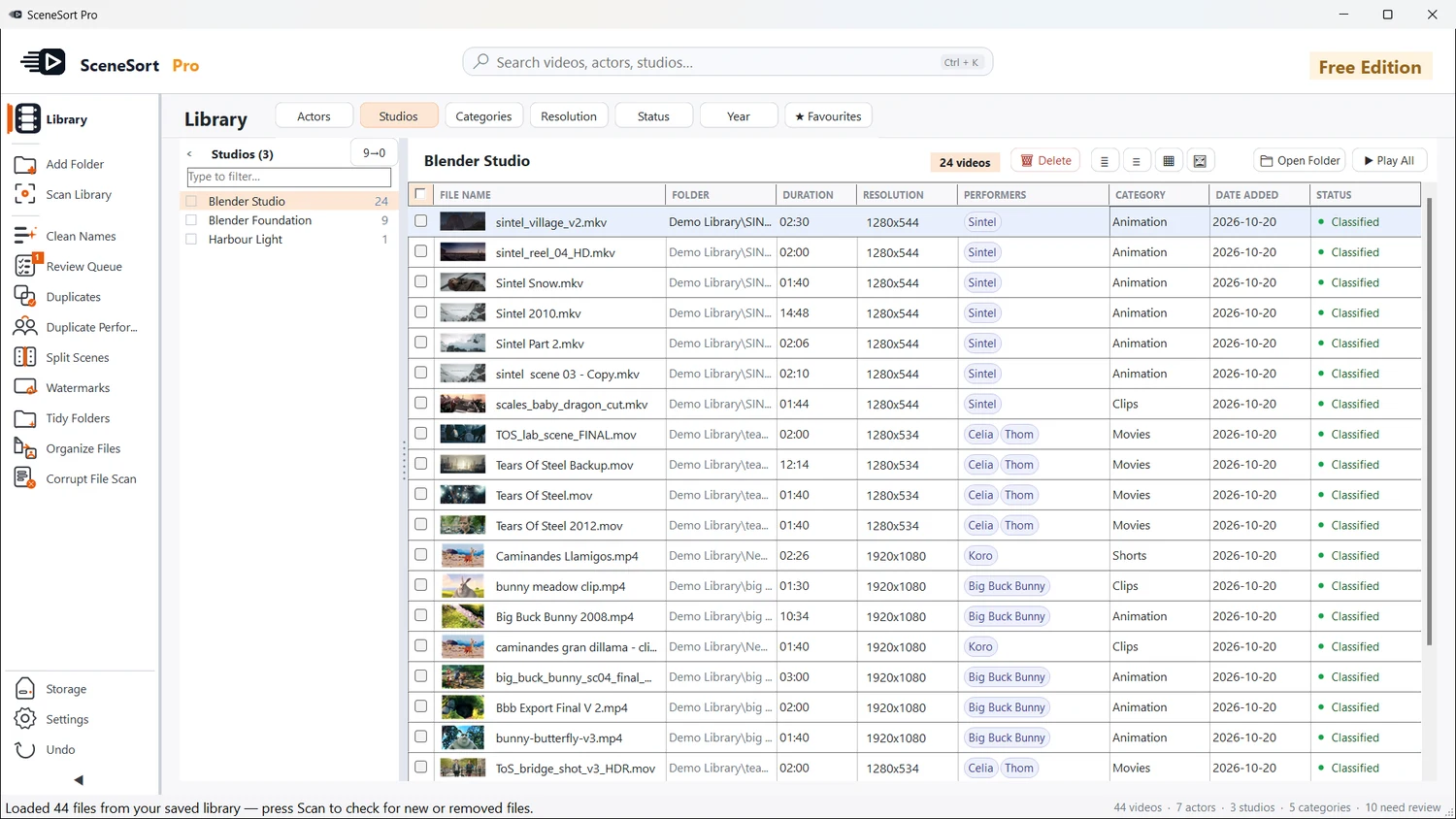
Collections grow across drives and folders for years. Filenames turn to junk, duplicates pile up, and there's no index. SceneSort Pro turns that mess into a library you can actually use.
Nothing is renamed, moved or deleted without your approval. Every change is reviewable, and every change can be undone.
Point SceneSort Pro at any drives or folders — including external and network drives.
It recursively scans, detects supported video files and builds an index in minutes — fully offline.
Approve cleaned names, confirm duplicates, and accept or reject category and people matches.
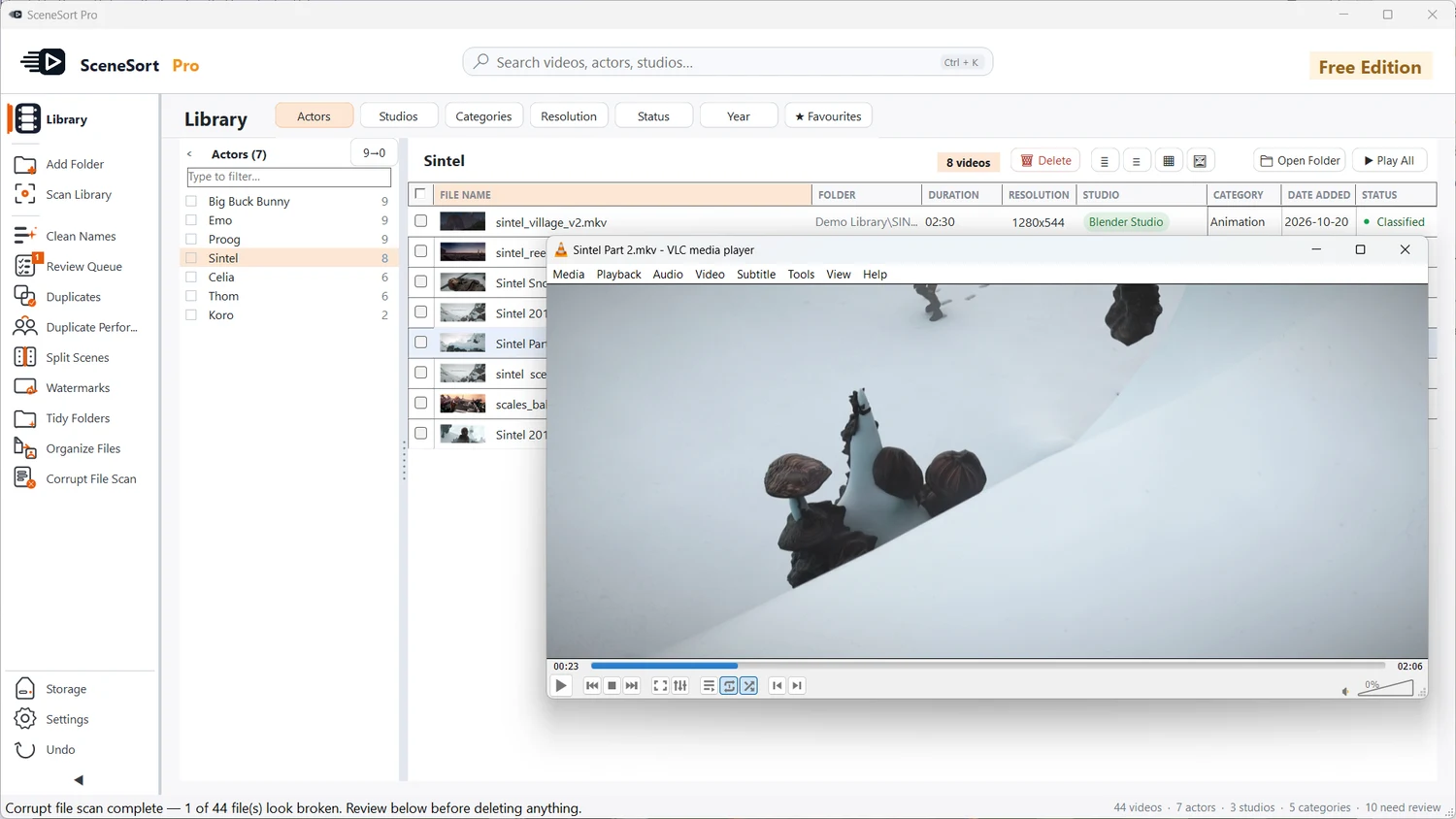
Browse and filter your library, then open any file in your preferred player, like VLC.
Every tool is designed for libraries spread across drives and folders — and built so you review changes before they're applied.
Add multiple root folders and SceneSort Pro scans them recursively, detecting supported video files across scattered locations — designed for messy hard drives and collections built up over years.
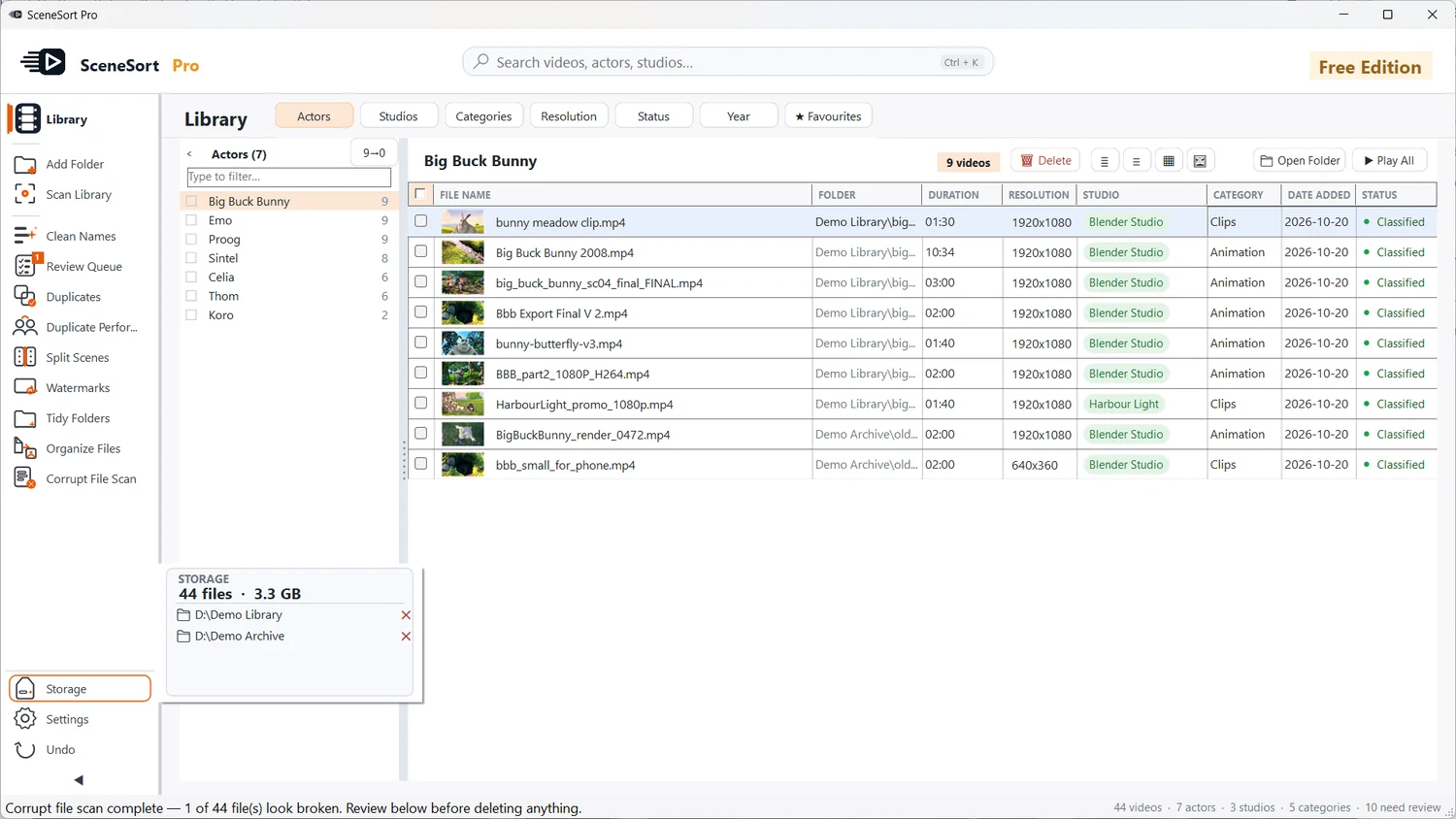
SceneSort Pro splits names into readable parts and strips codec tags, resolutions, dates and other clutter. Review every suggestion side-by-side — original versus cleaned — and rename only the files you choose.
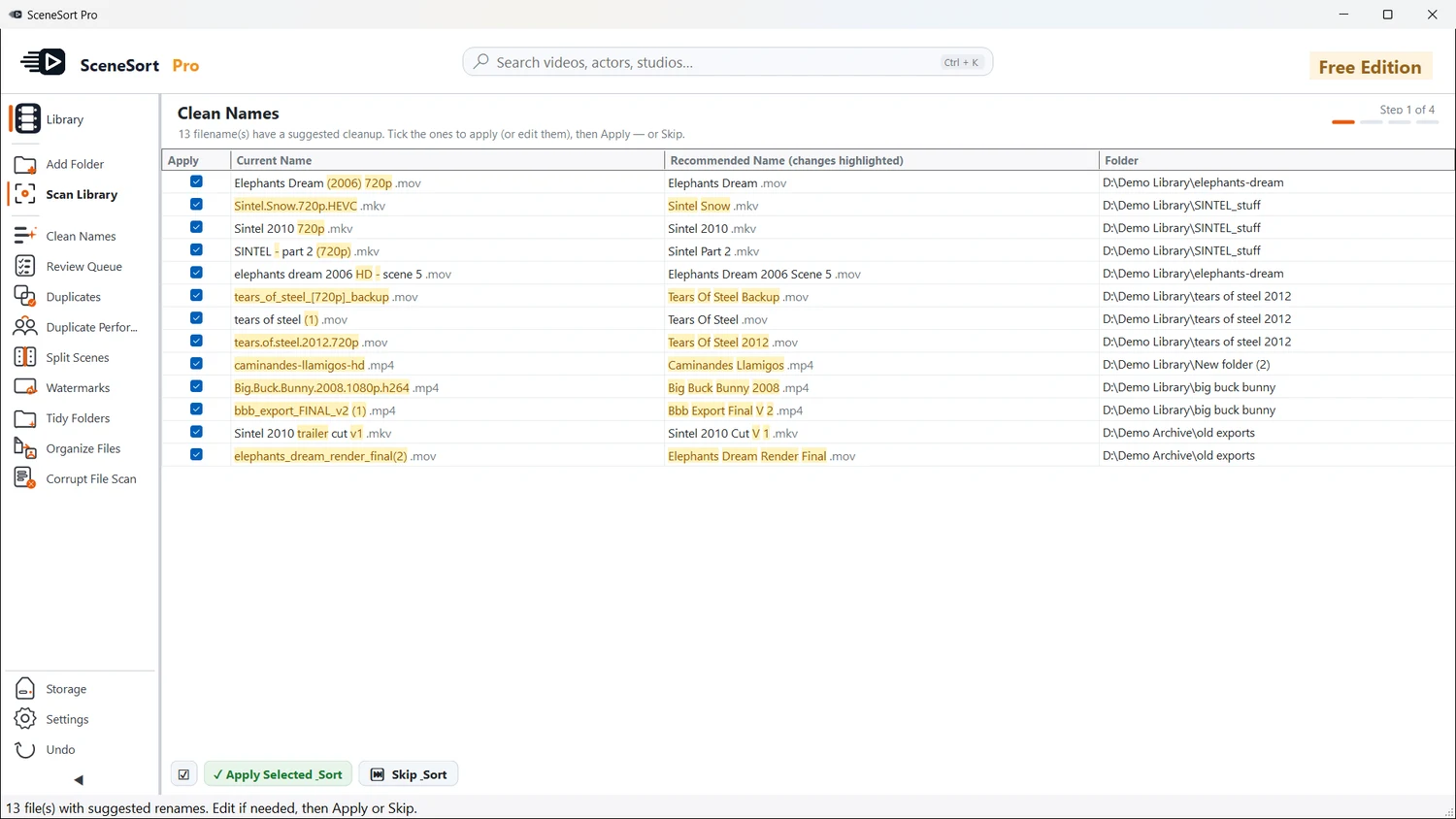
SceneSort Pro groups likely duplicates using file size, a content fingerprint and sampled frames, so renamed and re-encoded copies are caught too, with a match score for each group. Review before removing — keep the best version and send the rest to the Recycle Bin, with full undo logging.
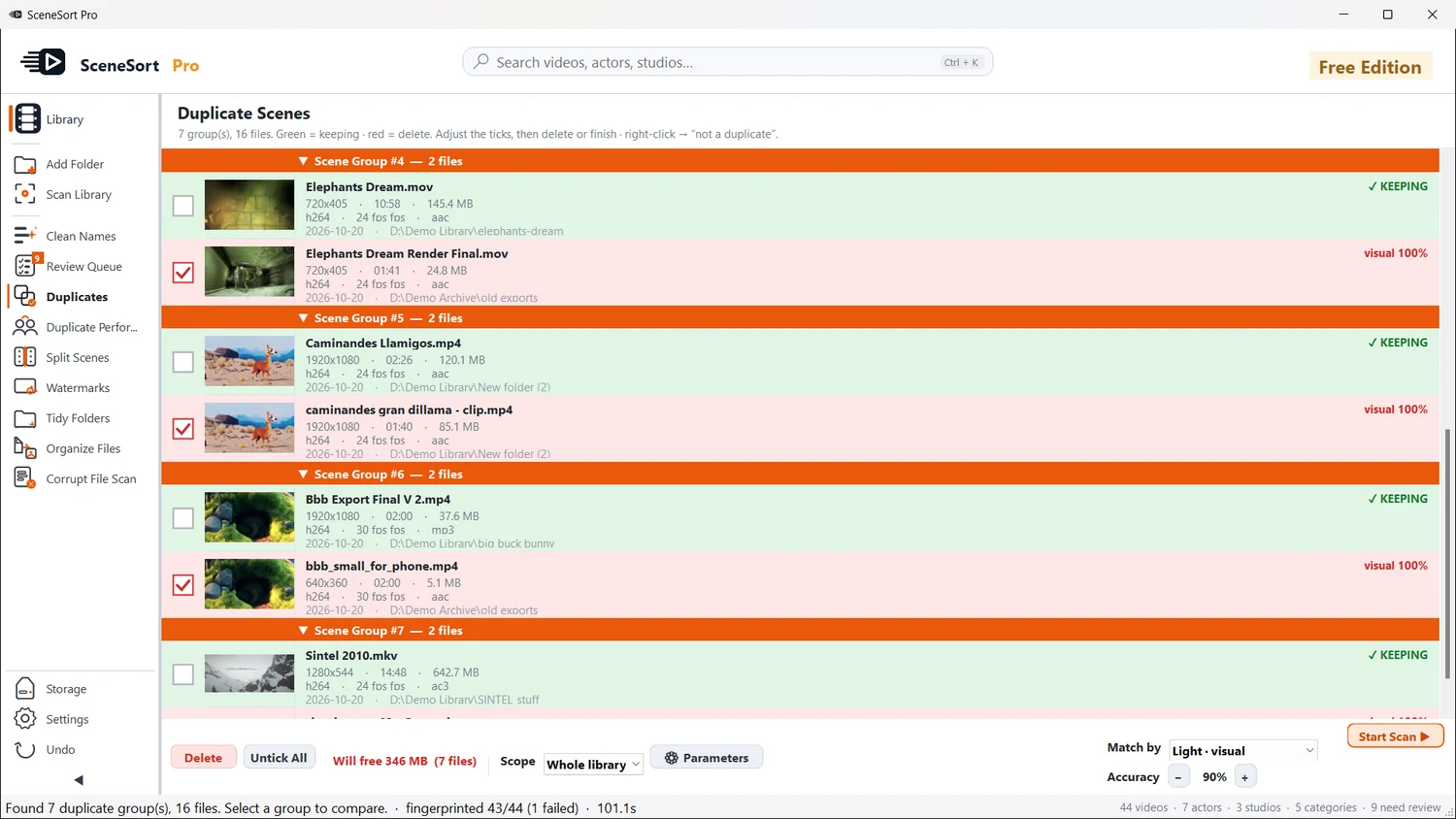
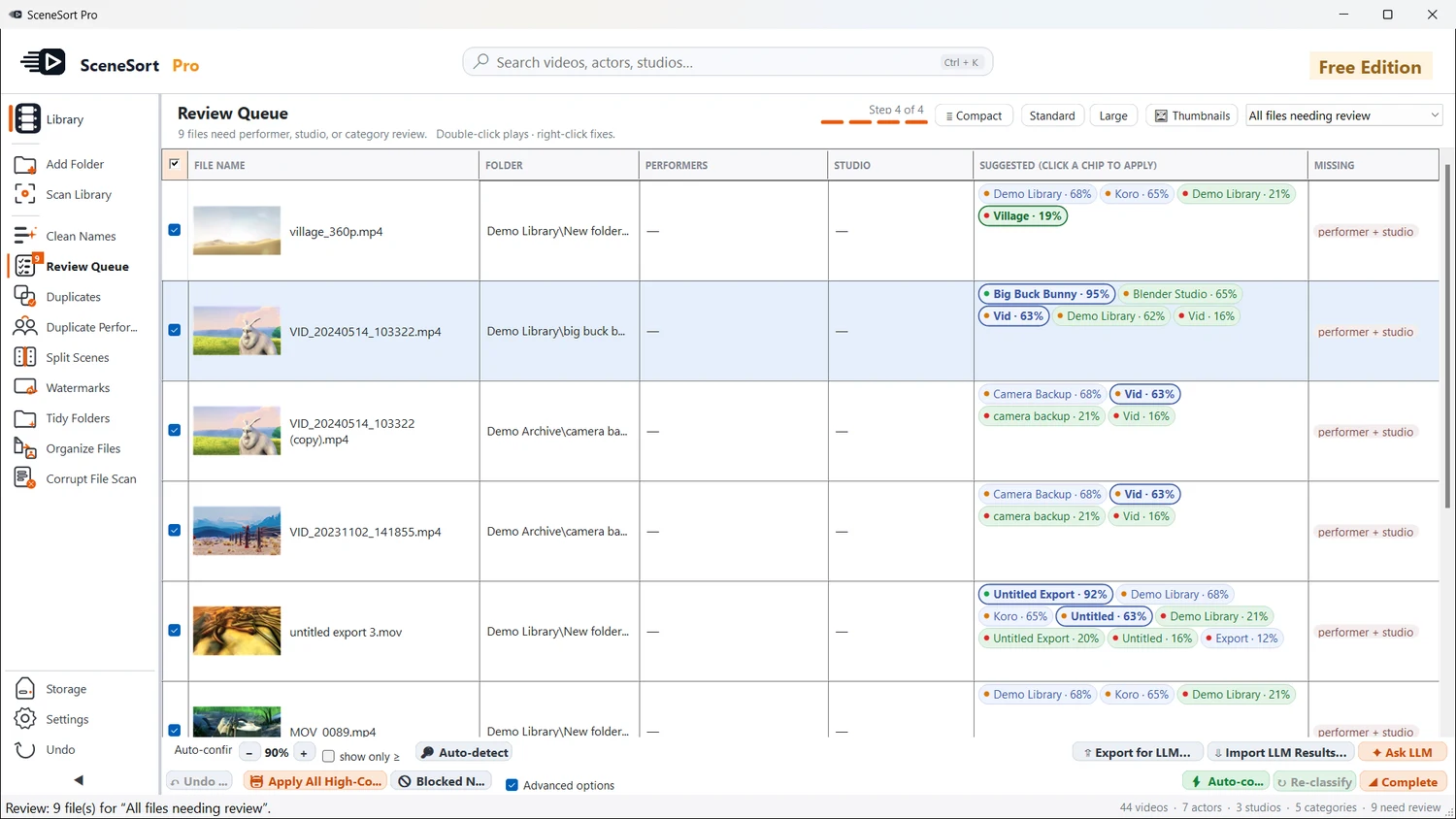
SceneSort Pro suggests likely categories, studios and people from filenames with a confidence score. The Review Queue gives you one place to confirm or reject them — and mark anything incorrect as junk, so your library gets cleaner over time.
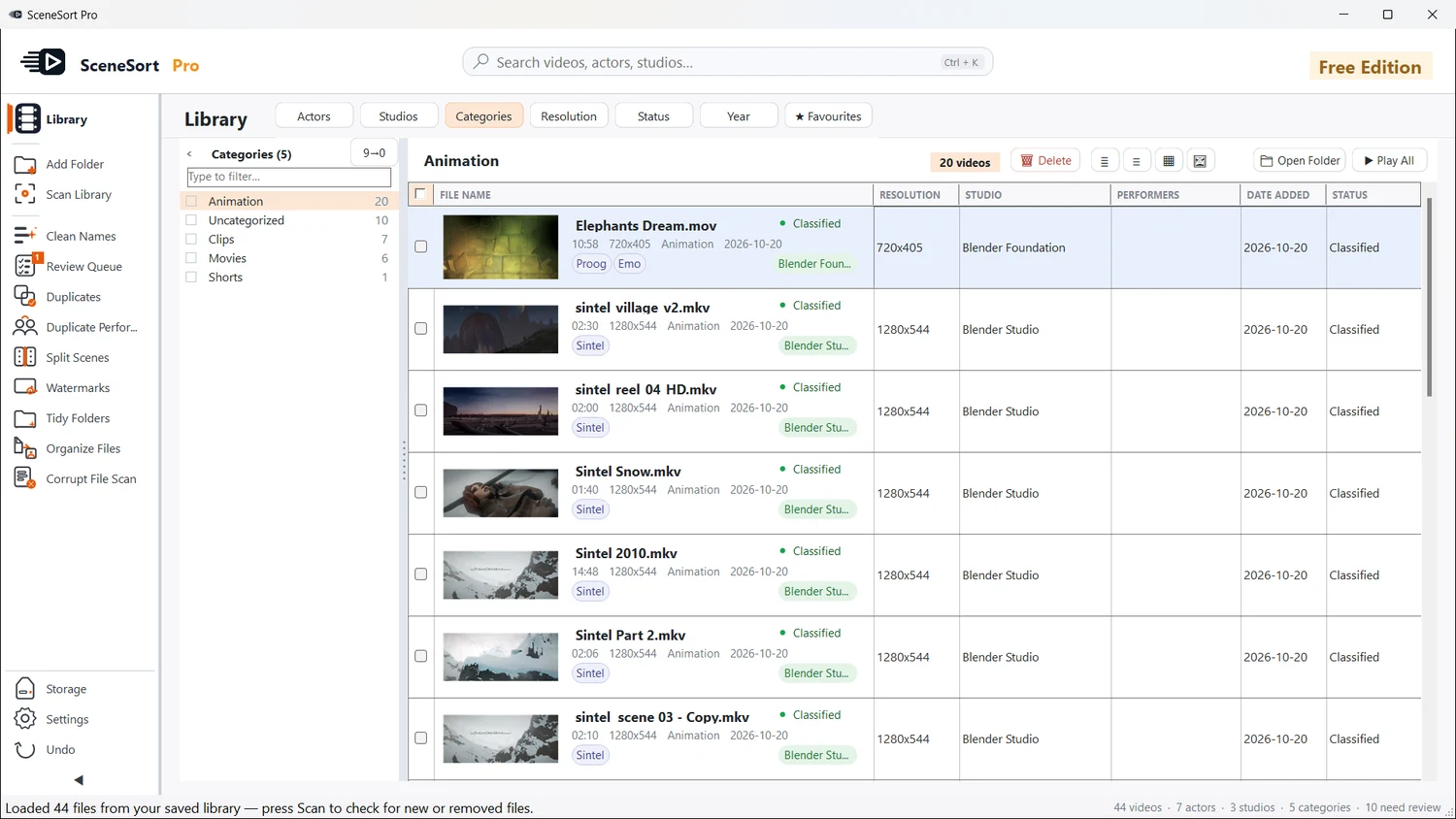
Browse by category, person, studio or folder, search across the whole library, and filter down to exactly what you want. Switch between compact, detailed and thumbnail views — your preference is remembered between sessions.
SceneSort Pro organises and manages the library — it isn't trying to replace your media player. Open any file and it plays in your preferred external player, like VLC, while your library stays exactly where you left it.
Most tools only catalog and play what's already tidy. SceneSort Pro is built to clean up the mess first.
Privacy isn't a setting in SceneSort Pro, it's the architecture. The app reads your files locally and they never leave your computer. There's nothing to upload, no account to create, and no telemetry in the app.
Try the full app free on your first 500 files. Unlock your whole library with a single payment.
No. Everything stays on your PC — nothing is uploaded, streamed or sent anywhere.
No. There's no SceneSort sign-up and no login. Install it from the Microsoft Store and start organising.
No. SceneSort Pro runs fully offline, and licence activation works offline too. It only goes online if you switch on an optional online feature yourself.
Yes. Process up to 500 files free — the full app, no card required.
Yes. It's designed for tens of thousands of files spread across multiple drives.
No — it organises and manages your library, then opens each file in your preferred external player, like VLC. It isn't trying to replace your media player.
Yes. It works with NAS and network shares via UNC paths (for example \\NAS\Videos), and multi-terabyte network libraries are a supported use case.
Nothing is lost. Everything already organised stays organised, and you can keep browsing your whole library. To process beyond 500 files, upgrade to Pro — your work and settings carry straight over.
Yes — one payment, yours for life. No subscription, no renewals, no hidden add-ons. Future updates are included.
Your licence covers your personal computers. Reinstall or move to a new PC whenever you like — your catalog backs up and restores locally.
Try the full app free on 500 files first, so you know exactly what you're getting before you buy. If a technical fault ever stops it working as advertised, email support and we'll resolve it or refund you under our Refund Policy.
Yes. SceneSort Pro installs from the Microsoft Store, where Microsoft checks and signs every app before it is published, so Windows shows no "unrecognised app" warning. The app never uploads your files, never asks for an account, and never renames, moves or deletes anything without your confirmation. Deleted files go to the Recycle Bin, and every change can be undone.
Get the Free Edition for Windows 10 & 11 from the Microsoft Store. No account, no card, nothing uploaded — see exactly what it does on your own library before you buy.